Survey was completed by one person; everyone else sees message “Survey has already been completed”.
I created a survey, and one person completed it. Other respondents see a message saying, “The survey has already been completed. Thank you for participating.” What does this mean and how can I fix it?
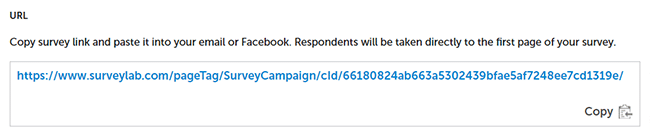
If this situation has happened to you, you most likely copied the link (URL) from your browser’s address bar for an already started response. Such a link contains a response ID and will only work on your computer.
To copy the correct survey link :
- Select the survey for which you want to copy the link.
- Click the
![[C]](https://www.surveylab.com/UserFiles/640d81fbf8d6/Image/ico_material/baseline_repeat_black_18dp.png) COLLECT RESPONSES button.
COLLECT RESPONSES button.
- Choose the collector associated with your survey.
- Click the
![[S]](https://www.surveylab.com/UserFiles/640d81fbf8d6/Image/ico_material/baseline_share_black_18dp.png) SHARE button.
SHARE button.
- Copy and send the survey link (URL).