
How can I add a file to a question?
If you want to add a file (for example PDF file) to the question so that respondents can download it, follow this instruction.
To add a file to a question :
- Press
 Edit question button.
 - Go to quesiton Settings section.
- Go to Multimedia / file and select Upload file.
- Select or add a file to your SurveyLab drive and SAVE the question.
 Edit question button.
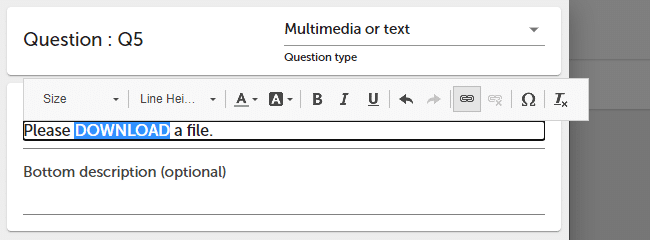
To add a link to a question :
- Press Edit question button.
- Select a text that will act as a hyperlink and add a link (URL).

- Press SAVE button.
NOTE. SurveyLab drive is connected to your account. You can share it with your team.
 Functionality is available in the Professional and Enterprise plan.