
Multi-language surveys
SurveyLab can support any language and multi-language surveys. This means that for each questionnaire, you can add multiple translations. The system will automatically detect the language version of the respondent’s web browser and display the proper language.
ADD NEW LANGUAGE
To add a new survey language version :
- Press Languages button.
- Select a language from Add new language menu.

- [Optionally] Press
 EDIT button to change the translation of the system messages (eg. NEXT PAGE or END SURVEY button) if needed.
- Press
![[H]](data:image/svg+xml,%3Csvg%20xmlns='http://www.w3.org/2000/svg'%20viewBox='0%200%2018%2018'%3E%3C/svg%3E) HIDE / SHOW button to hide or show the survey language version for the respondent.
HIDE / SHOW button to hide or show the survey language version for the respondent. - [Optionally] Press DELETE button to delete the translation.
![[D]](https://www.surveylab.com/UserFiles/640d81fbf8d6/Image/ico_material/baseline_clear_black_18dp.png) DELETE button to delete the translation.
DELETE button to delete the translation.NOTE. The first language will be added as public. The next one will be hidden, and you will need to press ![[S]](https://www.surveylab.com/UserFiles/640d81fbf8d6/Image/ico_material/baseline_visibility_off_black_18dp.png) SHOW button to make it available for your respondents.
SHOW button to make it available for your respondents.
ADD SURVEY TRANSLATION
Now you can go to the survey design and enter survey translation. To do it :
- Press 1. Design survey or DESIGN survey button.
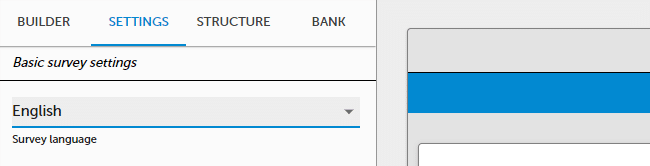
- Select SETTINGS tab.

- Select survey language you want to edit.
- Enter the translation in the survey.
- Press Preview button to test the translation. In the top right corner of the survey, you will see the language switch option.
NOTE. Languages are an additional layer for the same survey. If you make a change in one language, it will be automatically reflected in other languages.
AI SURVEY TRANSLATION
You can let us translate the survey for you using an AI model.
To do it :
- Go to account Settings / Security and privacy and select AI survey translation.
- Go to survey DESIGN / Languages.
- Select AI survey translation.
- Add a new language version.
- System will translate the survey. It can take a few minutes. Check the translation generated by AI.
NOTE. We provide AI Automatic translations. This functionality provides automatic translation from a Default language to other languages added to the survey. Please check your translation and adjust it, as AI translations can sometimes be inaccurate.
 Functionality is available in the Advanced, Professional, and Enterprise plan.