
How does the contest code functionality work
The functionality allows displaying a screen with a contest code at the end of the survey. The code can be static (every respondent sees the same set of characters) or dynamic (consisting of a unique and randomly generated set of characters).
To use the contest code functionality :
- Go to the collector settings.

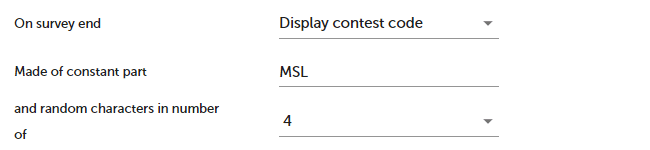
- For the On survey end option, select Display contest code.

- Set the fixed and random parts of the code.
- Click SAVE button.

At the end of the survey, the respondent will see a screen with the contest code, similar to the example shown below.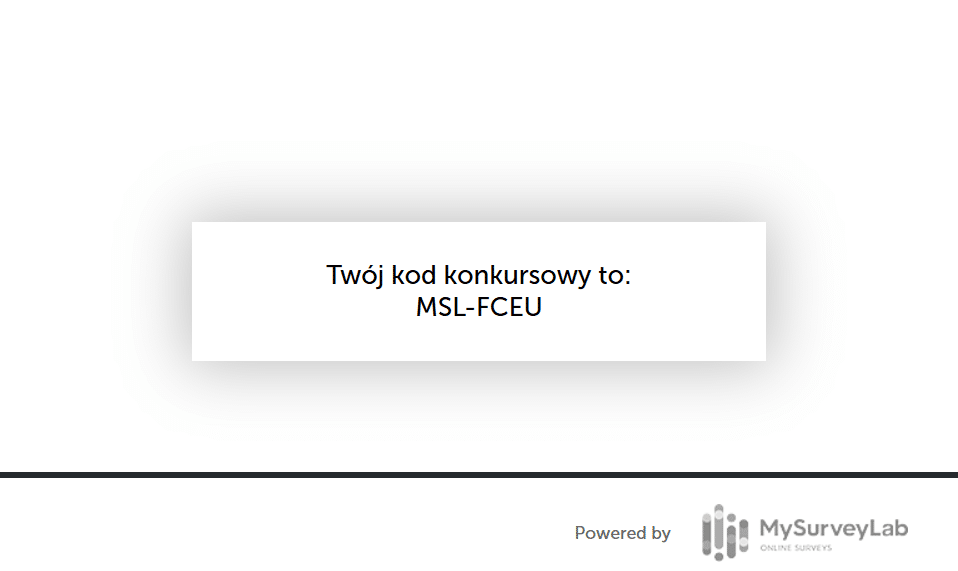
NOTE: Since the code will no longer be accessible to the respondent after closing the browser, we recommend that the respondent save it or take a screen-shot of the code screen.
After the survey is completed, it is possible to export the full list of contest codes. The codes are provided as a .csv file. The codes are not linked to the Response ID or any other survey elements that would allow identification of the respondent.
To download the list of codes :
- Go to the survey report.
- Click the Download report button.
- Select the PROMO CODE (CSV) option.
NOTE: The list contains only the codes, without assigning them to specific responses.